
“Most property research happens on a phone, in bed, on a weak network and in interrupted attention. The design work is one hand, small data, honest touch targets and resilience after interruption — and search engines and regulators now check that work for themselves.
The buyer, the bed and the weak network
The serious hour for a property browser is unglamorous: late at night, one hand holding the phone, the other under the pillow, on whatever the bedroom network can serve up.
Design for that session — interrupted, one-thumbed, expensive on data — and the daytime sessions on the metro and at the desk come free.
The buyer has already moved to the small screen
The numbers keep arriving from the same direction. In its 2024 consumer housing trends report, Zillow reports app usage of 72 percent and mobile web usage of 80 percent among buyers — and, more telling, 21 percent of buyers named a mobile site or app their single most helpful resource in the whole search. The phone is no longer the second screen of property research; for a fifth of buyers it was the most useful thing they had.
Read the three numbers together and the implication for a design brief is blunt: the phone session is the main event, and every other format is a companion. A team that designs the desktop experience first and shrinks it afterwards is working against the majority of its own usage statistics.
The middle-of-the-night framing is not a joke about insomnia either. Late-night browsing is exactly the session in which attention fragments, networks weaken and patience thins — which makes it the honest benchmark for an app's worst case, and the right one to design against.
The headline numbers
Thumbs set the bar, not the legal floor
Touch targets are the discipline most teams get wrong twice: first by designing to the legal minimum, then by measuring on a desk rather than in a moving hand. Google's Material guidance tells teams to consider touch targets of at least 48 by 48 density-independent pixels on most platforms. The accessibility standard, at its minimum conformance level, requires a target size of 24 by 24 CSS pixels.
The two numbers are not in conflict; they describe different things. Twenty-four pixels is a floor that removes the worst failures. Forty-eight is where the comfort of a thumb actually starts, especially late in the evening when fine motor precision is not the browser's own finest hour. A team that treats the standard as the goal will ship targets that pass audits and still lose taps at the edges.
And it is worth saying plainly: the comfort target is a business decision with direct consequences, not a stylistic preference. In a property app the miss lands on enquire, on book-a-viewing or on save — verbs whose lost taps are lost customers that no analytics dashboard explains, because the dashboard only counts the taps that landed.
Designing the interrupted scroll
-
01
Lay out for one hand and one thumb
Primary verbs sit low and on the dominant-thumb side. Gallery browsing is one gesture, never two taps and a drag.
-
02
Budget the data
Photographs, maps and floor plans ship at the smallest size that still supports a decision — and this session happens on the link nobody would choose.
-
03
Survive the interruption
A notification, a call or sleep will cut the session. Filters, scroll position and the shortlist must return exactly where they were left.
-
04
Size targets for the thumb
Forty-eight as the design bar, twenty-four as the audit floor — and the difference is checked in a moving hand, not on a desk.
-
05
Make saving the resumption point
A list built at midnight must resurface at breakfast without a second login or a second search. The saved list is where tomorrow's session starts.
Discoverability is now a mobile standard, formally
The infrastructure layer completed its own migration. Google finished mobile-first indexing on 31 October 2023, and stated that from 5 July 2024, sites whose content is not accessible on mobile would be dropped from indexing entirely. The sentence in its documentation is exact: if your site's content is not accessible at all with a mobile device, it will no longer be indexable.
That is a different register from earlier years, when a responsive layout earned a format label. The index now behaves as though the phone were the only reader. A property site whose inventory, plans or financing pages fail on the small screen carries an indexing problem that no quantity of back-links will offset.
Field measurement is part of the same standard. The core thresholds — a largest-content paint of two and a half seconds, an interaction delay of two hundred milliseconds, a cumulative layout shift of point one — are scored at the 75th percentile of real visits. A fast median does not secure the score; the slow tail of visits decides it.
Three claims that fail in the field
Meeting the 24 pixel standard makes targets comfortable
The 24 pixel rule is a conformance floor, not a comfort target. Google's own platform guidance recommends at least 48 by 48 for most environments. Design to 48 and pass 24 on the way; never engineer in the other order.
Native apps sit outside accessibility law
The European Accessibility Act applied its duties to smartphones and to e-commerce services from 28 June 2025. The app surface is inside the scope, so 'it is a native app' settles nothing; both surfaces carry the same duties.
Mobile performance is a marketing concern, not a design one
Google measures field performance at the 75th percentile and indexes by mobile accessibility, so a slow experience is a discoverability problem in the ranking sense and an abandonment problem in the human sense. Performance is designed, or it is discovered missing.
The Arabic and RTL penalty is measurable
For a bilingual service the gap stops being philosophical as soon as the accessibility survey is read. WebAIM's 2026 survey of the leading million pages reports that Arabic-language pages averaged 69.3 accessibility errors, which is 23.5 percent worse than pages in other languages. That is not a judgement on Arabic as a language; it is a description of how badly most toolchains treat right-to-left layout.
The failure modes repeat and none of them is exotic: a carousel whose reading order runs one way regardless of direction, a font whose directional behaviour does not follow the text, a text field aligned to the wrong edge, a progress bar filling from the wrong side, a primary button pinned to the visually wrong corner. Each has an owner, each has a fix, and the fix is normally small.
The platform vendors already publish the expectation. Apple's interface guidance treats accessibility as core to design — intuitive, perceivable, adaptable — and ships supporting tools: an inspector for auditing an application against those duties, and the accessibility summary the store surfaces alongside a product. An Arabic-market product built on that culture closes most of its gap long before any audit.
Two design sessions, same app
Designs for the midnight scroll
- Assumes one hand, a tired thumb and a weak network.
- Lazy-loads photography; ships plans when they are asked for.
- Filters, scroll position and shortlists survive a phone call.
- Arabic and English are layout peers, not one and a translation.
Designs for the demo
- Assumes a desk, a mouse and fibre.
- Eager-loads a hero reel before the first question is answered.
- Session state lives in one component and dies at the first route change.
- Arabic is a font swap, and numerals flip by accident.
The indexing sentence
If your site's content is not accessible at all with a mobile device, it will no longer be indexable.
Turning the thresholds into a budget
The core thresholds become a design budget the moment each one gets an owner and a page in the build. A largest-content paint of two and a half seconds at the 75th percentile is not abstract on a listing page: it names the hero photograph, its format and the size it may reach. A two-hundred-millisecond interaction budget names the scripts allowed to run before the first tap answers. A point-one layout shift budget names every late element that would move content a user is reading.
The context worth writing into the design brief is that the score is a distribution. The goal is a managed slow tail, not a good median: a property product in a bilingual market is used on a two-year-old budget handset over a cellular link as well as on a current flagship over fibre, and both devices are real customers.
The phone, in the hour it matters
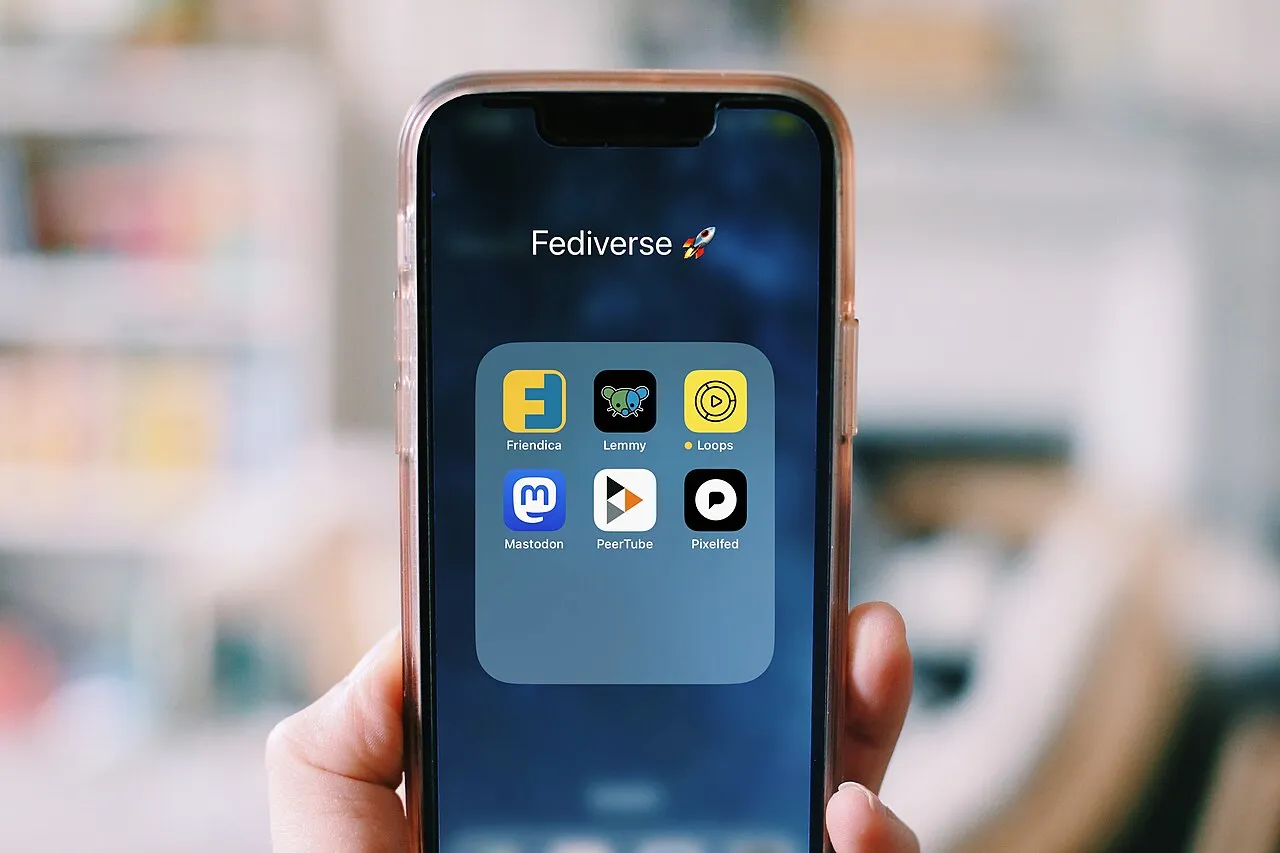
Property research used to be a daytime appointment with an agent, and quietly became a screen and a thumb at any hour. The photographs below sit along that seam: a screen held during the scrolling hour, several competing apps in the same hand, and the street where an evening browser actually reads a listing.


What to do with this
- Serve the small session first.The buyer's most-used tool is the phone, so the desktop layout is the companion format, not the authority.
- Set touch targets at 48 with 24 as the floor.Passing the standard is the start; a thumb on a train strap is the real acceptance test.
- Build session state to survive a phone call.Filters, scroll position and shortlists are the product's memory of the buyer, and losing them loses the deal.
- Budget performance in written terms.The core vitals thresholds turn a slogan into named assignments with owners and numbers.
- Audit Arabic and RTL layouts separately.A 23.5 percent worse error rate is not a language problem; it is a toolchain problem with named fixes.
- Read the index as a phone.Since mid-2024 a site that fails on mobile is not indexed at all, so the mobile session is where discoverability is decided.
Sources
- Buyers housing trends report 2024 — Zillow Research
- Mobile-first indexing — Google Search Central documentation
- Accessibility (Material Design guidance on touch targets) — Google
- WCAG 2.2, success criterion 2.5.8 Target Size — W3C
- Web Vitals thresholds and field measurement — web.dev
- The WebAIM Million 2026 — WebAIM
- Accessibility (Human Interface Guidelines) — Apple Developer
- European Accessibility Act (Directive (EU) 2019/882)